Building a receipt app with Python
Building a receipt app
2/21/20262 min read
I have tried a using a few receipt apps available on the App Store and I am still left wanting. I decided to work a quick python project to build the kind of app that I want to track the things that I want to analyze.
My goal was to build an application that imports a picture of a receipt, parse the data, categorize and post it on a spreadsheet. I knew my main challenge was going to be optical character recognition because every store uses a different format for classifying their products. To keep things simple I chose open source tool Tesseract.
Using Python's tessaract libraries, I activated an environment for the receipt project. After the usual process of locating recent libraries to address standard error, it was time to think of the parsing logic. To test the initial Python script, I manually jammed in the categories of the store products.
# Simple category mapping
CATEGORIES = { "Produce": ["apple", "banana", "onion", "tomato", "lettuce", "potato", "fruit", "veg"], "Dairy": ["milk", "cheese", "yogurt", "butter"]
The goal was to check if my idea of the logic would work.
Abbreviations: If the receipt says "ORG BNNA," our "banana" keyword won't catch it.
Noise: Sometimes the store address or phone number has numbers that look like prices.
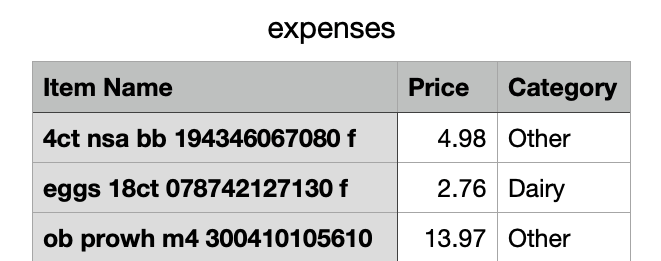
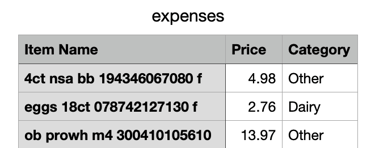
The script worked but there was more work to be done because it pulled in the product name and serial numbers also. The next step was to use artificial intelligence to assist with the categorization instead of the manual process i started with.
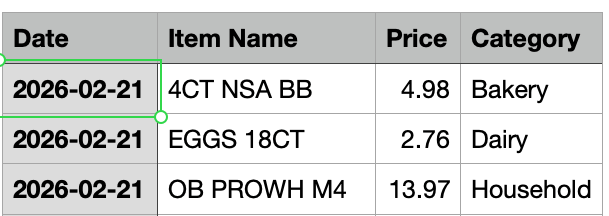
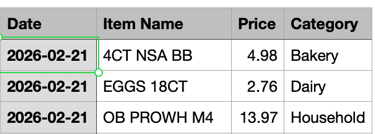
I went to Google's AI Studio, created an API key and installed the package google-generativeai to leverage LLMs for my receipt app. Calling gemini-3 flash in the updated python script, I was able to get a cleaner output of date, product purchased, price and category in CSV format.
The main draw back is that I have to manually start the environment every time I have a new receipt image. I know that I can have a loop running to address the issue or connect the python script to google sheets but, the goal here was to test out an idea without building out a full production pipeline
Learn technology trends based on past projects
© 2026. All rights reserved.